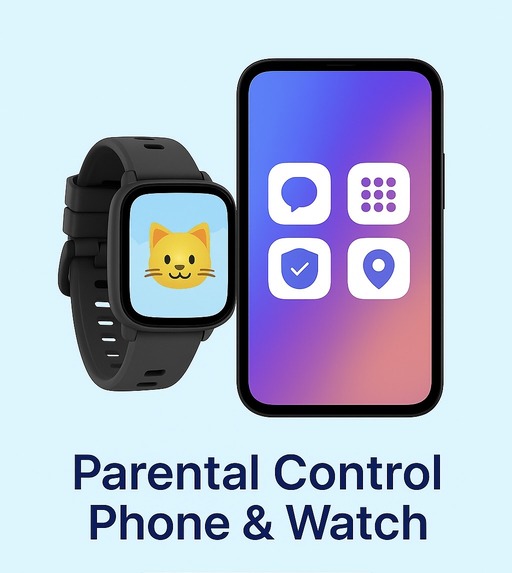
✔ Detects cyberbullying, predators, & threats
✔ Tracks real-time GPS location
✔ Sends instant alerts for risky activity
✔ Blocks explicit, violent, or unsafe websites
✔ Sets screen-time limits and bedtime schedules
✔ Lets parents approve contacts & apps
✔ Keeps data private & secure
Why "A Safe Phone" Isn’t Enough: The Hidden Features Every Parent Must Look For
When you type “safe phone for kids,” the results flood in: “no social media,” “locked web browser,” “kids mode only.” Good start. But here’s the truth: safe phone can mean wildly different things. One device might lock everything down and leave your child stranded. Another might look safe—until the alerts stop, the monitoring is weak, or the protections fail.
In this article, we’ll go beyond the surface. We’ll explore what safety really means in a phone for kids or teens, the features that matter most (and why), and how to avoid falling for devices that advertise “kid‑safe” but still leave dangerous gaps.
The Myth of “One Button Safety”
It’s tempting to believe: “If the phone has an app filter and a time‑limit, I’m done.” But safety isn’t a single button—it’s a layered system. Without that system, a child might still:
- Receive harmful texts or images and hide them
- Access dangerous content via overlooked apps or browser loopholes
- Face cyber‑bullying or peer pressure invisible to you
- Use the phone outside your sight with no alerts or context
If you’re relying on one basic lock, you’re underestimating the digital world your child now lives in.
Feature #1: Real‑Time Text‑Alert Technology
Imagine you don’t need to read every message your child gets—but you can get alerts when something alarming appears. That’s next‑level safety.
What to look for:
- Keyword scanning for bullying, violence, explicit content
- Alerts sent to parents—so you see red‑flag activity without hovering
- Ability to act (lock app, review conversation) when needed
This feature turns your child’s phone into an early warning system—not a silent risk zone.
Feature #2: Transparent Activity Reports (for Both Parent & Child)
Safety tools mean nothing if you can’t see what’s happening. Great devices give:
- Visual breakdown of daily usage by category (calls, texts, apps)
- Highlights of unusual patterns (late‑night use, sudden uptick in messages)
- Shared summary with your child: “Here’s what you used. Here’s how you did.”
Transparency builds trust—and opens discussion instead of conflict.
Feature #3: Contextual Monitoring, Not Micromanagement
Kids need freedom and trust—but also protection. The safe phone hits the balance with:
- Location tracking & safe‑zone alerts (e.g., did they leave the after‑school club?)
- Contact whitelists — only approved persons can call/text
- App approval by parent — no surprise downloads
- Sleep/bedtime lock — device can’t be used when it should be off
This lets you set boundaries while your child learns autonomy.
Feature #4: Evolving Protection for Growing Independence
Today’s safe phone should adapt with your child. Look for:
- Tiered access levels — as your child shows responsibility, new apps/features unlock
- Review checkpoints — device suggests check‑in times with parent and child
- Feedback loops — child gets prompts like “How do you feel about screen time this week?”
This turns the phone from a static guardrail into a growth partner.
Feature #5: Usability + Appeal – So Your Child Actually Uses It
A safe phone that looks boring will still get ignored—or subverted with another device. Make sure the device:
- Has a design kids want to use (colors, size, camera, fun features)
- Supports positive uses: voice notes with friends, creative apps, safe games
- Doesn’t feel like a punishment device—so it avoids resentment
When a phone becomes a tool plus privilege, not just a restriction, you win both safety and engagement.
Avoid These Common Pitfalls
- “Kids mode” that’s too rigid: child rejects it and gets another device instead.
- Monitoring only during day, not at night: late‑night use hides risk.
- One‑size‑fits‑all features: a 7‑year‑old and a 14‑year‑old need different protections.
- No joint discussion: device is deployed to the child, not with them.
- Focus only on apps and downloads: ignoring calls/texts and messaging leaves gaps.
Your Action Plan: 5 Steps Right Now
- Make a feature checklist: compare at least two “kids safe phones” you’re considering.
- With your child, explore the phone’s dashboard together: let them see what you’ll monitor—and why.
- Set an agreement launch day: e.g., “We’ll start with this phone next Monday and review in 30 days.”
- Schedule a 30‑minute family talk each month: Review usage, feelings, and next step.
- Reward responsible use: “If you maintain good habits for 30 days, we’ll unlock one fun app together.”
Buying a safe phone for your child is more than clicking “kid mode”. It’s about creating trust, awareness, and structure. When you pick a phone that can alert you, report clearly, evolve with your child and engage them positively, you’re not just buying a device—you’re investing in their digital resilience and your peace of mind.
Make the first phone a smart launchpad—not just a quick fix.